.png?fit=max&auto=format&n=8QpDbgnOnX2tAZSr&q=85&s=921f7e1aa490aa490de8911bceeb95c9)
What it Does?
- Find Your competitors.
- Find Keywords from Competitor’s Domain.
- Find Lost Keywords from your or Competitor’s Domain.
- Find Historical Keywords from your or Competitor’s Domain.
- Find Intersection Keywords from your and Competitor’s Domain.
How to find your Competitor?
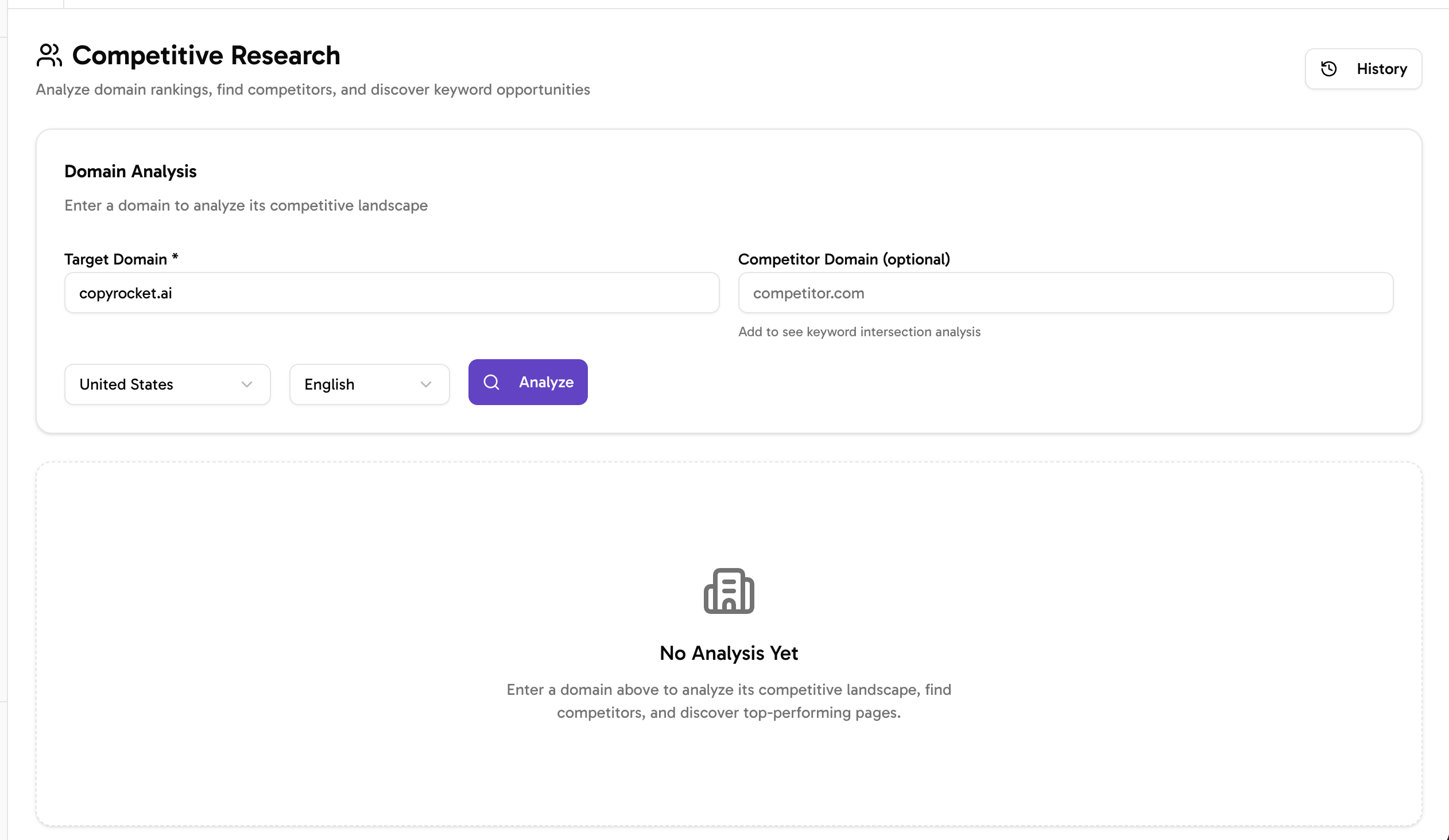
- Navigate to Competitive Research tool from left sidebar.
- Enter your domain in Target domain section, Select country and language filter and click on “Analyze”.
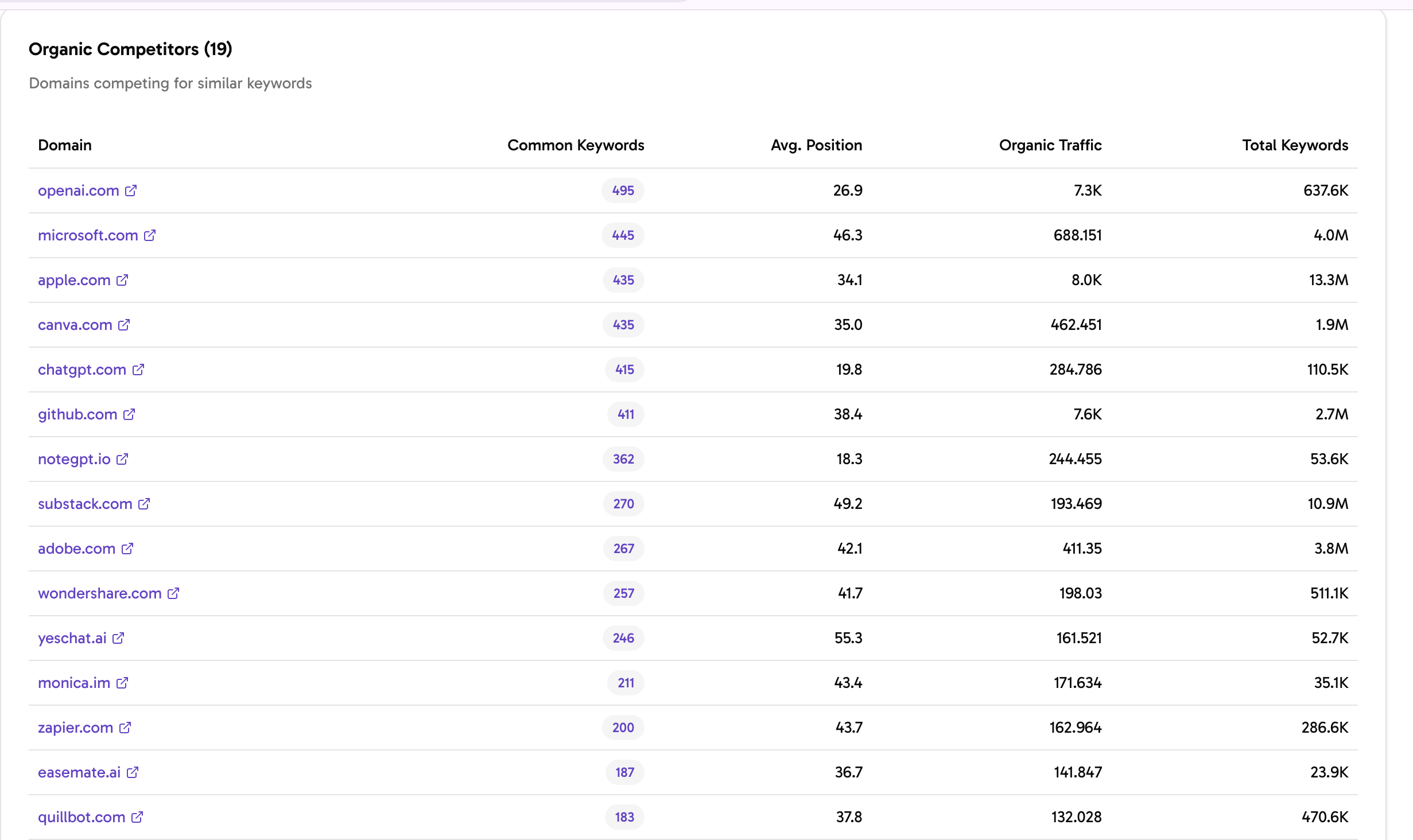
- Then under Organic Competitors list you will find your competitors domains.
How to Find Keywords from your Competitor’s domain?
- Once You have shortlisted your competitor’s keyword then replace that in Target domain section of the tool.
- Select desired country, language and click on Analyze.
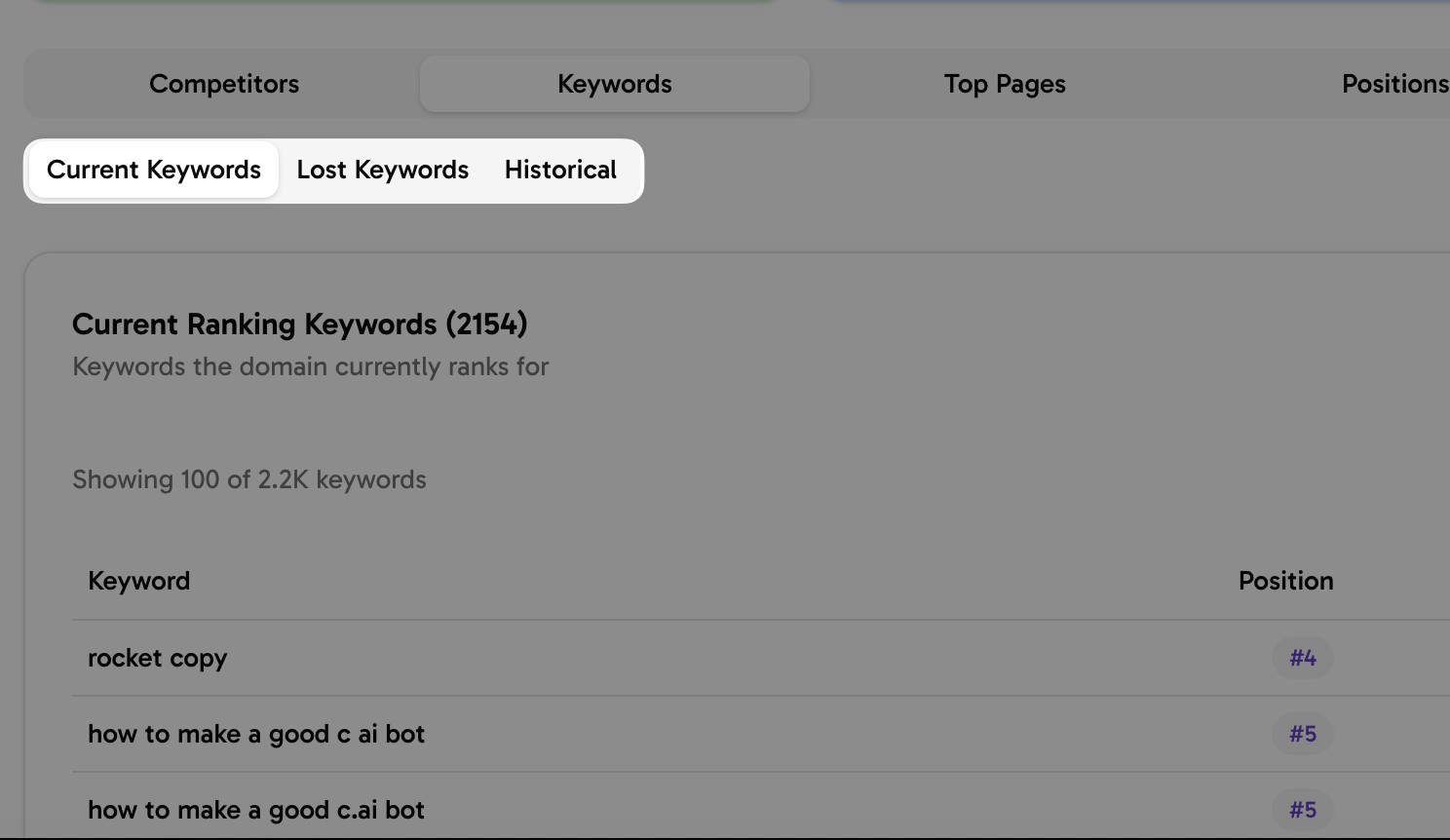
- Then, under keywords tab, you will find current, lost and historical keywords.
How to Find intersection keywords
- Enter your Target domain and type competitors domain.
- Select country and language filter and click on Analyze.
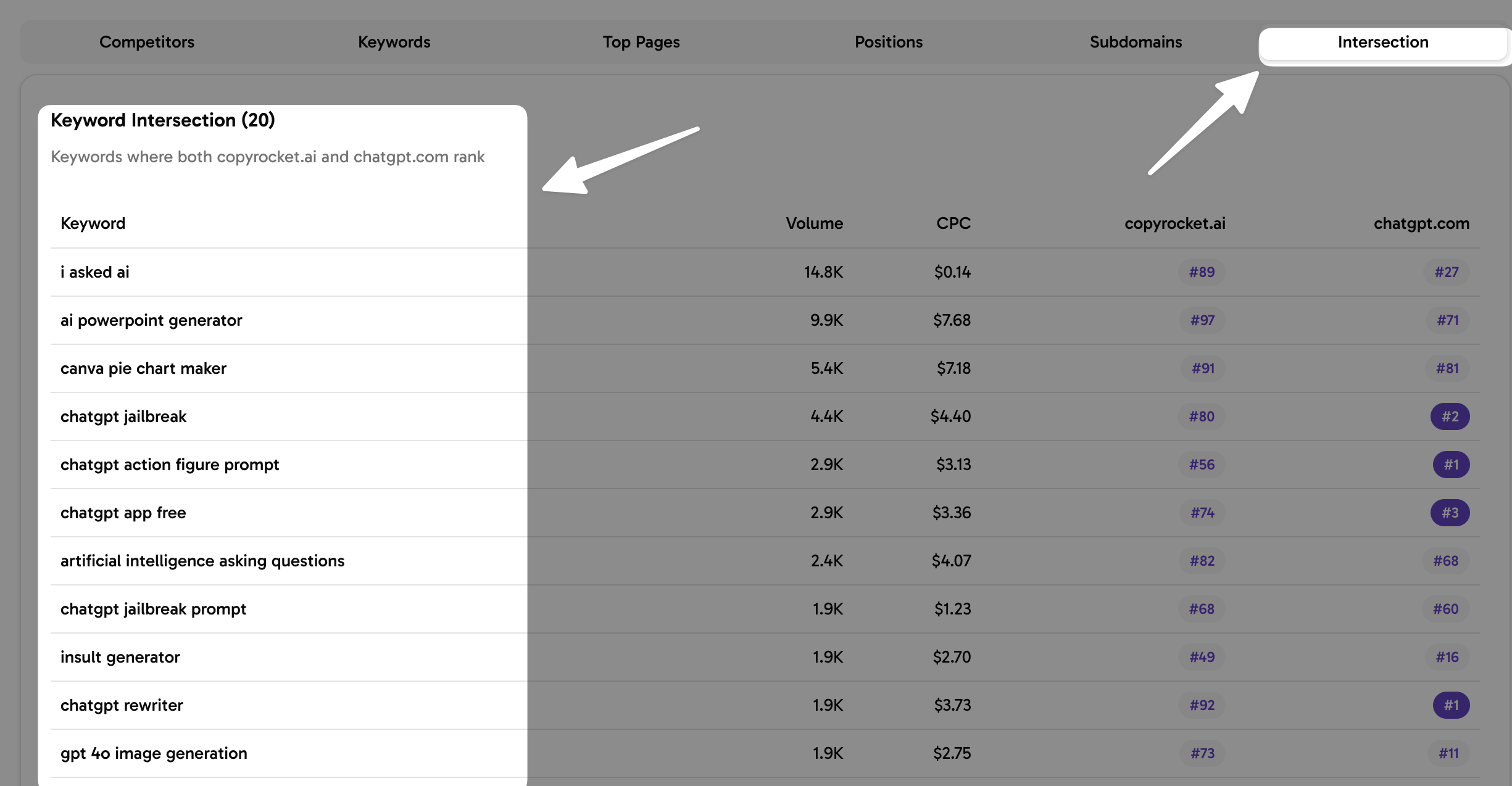
- Under Intersection tab you will find all those keywords that you and your competitor’s are ranking.
Find Competitor’s Ranking Positions
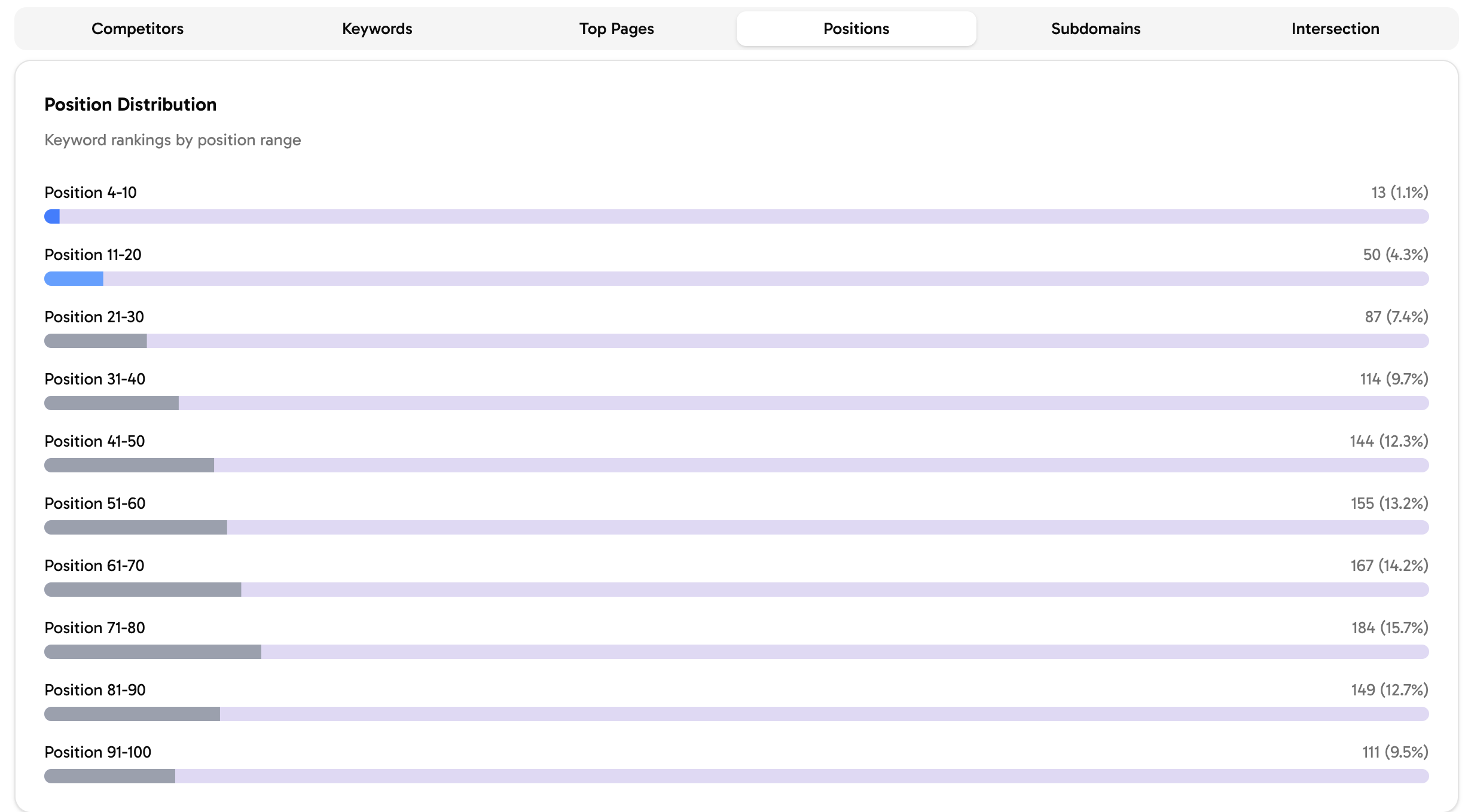
- Under same report Select Positions tab and You will find all Position Distribution
- Position from 4 -10, 11-20, 21-30 and so on.
🚀 Next Steps
- Keyword Research: Organic keyword research from Google and Bing
- Topical Map: Generate 300+ Topics in one go.